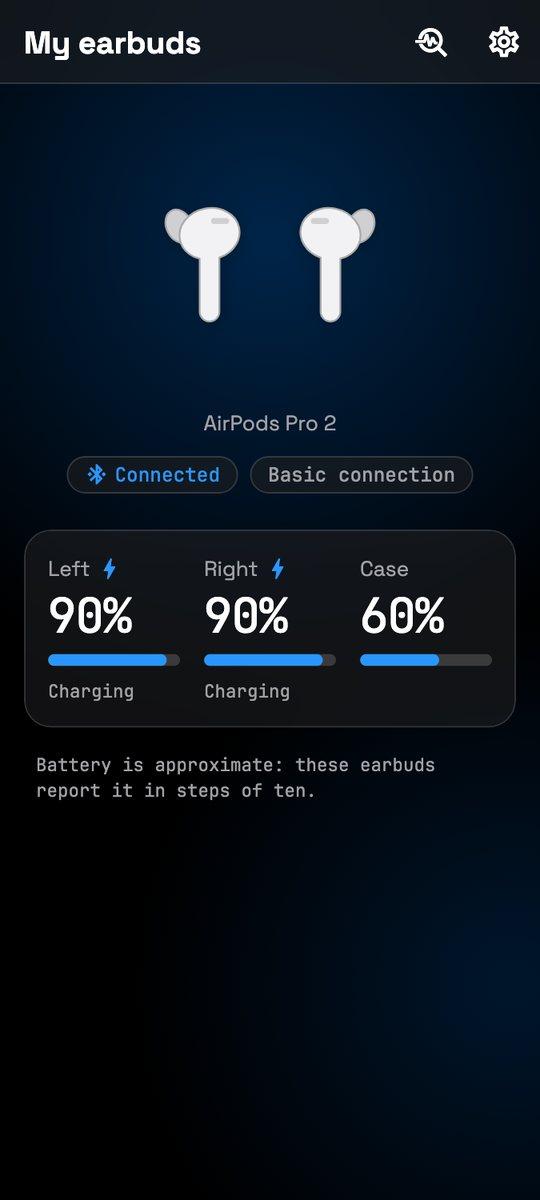
Each earbud and the case
Left, right and the case, with charging shown, in the 10% steps AirPods broadcast.
 PodPilot
The battery of each earbud and the case on your Android phone, a popup when they connect, and music that pauses when you take one out. It works with AirPods.
Coming soon to Google Play · Free · No ads · No account · No internet access
What it does
Your phone reads the status your AirPods broadcast, and PodPilot puts it where you’ll see it.
Left, right and the case, with charging shown, in the 10% steps AirPods broadcast.
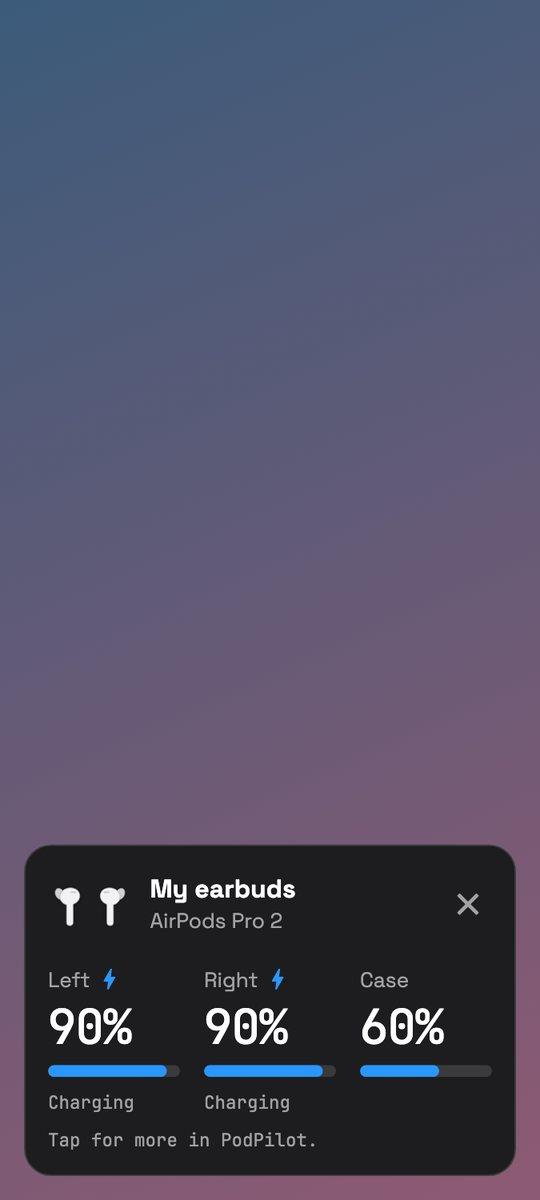
The battery of each part the moment your AirPods connect, over whatever you’re doing.
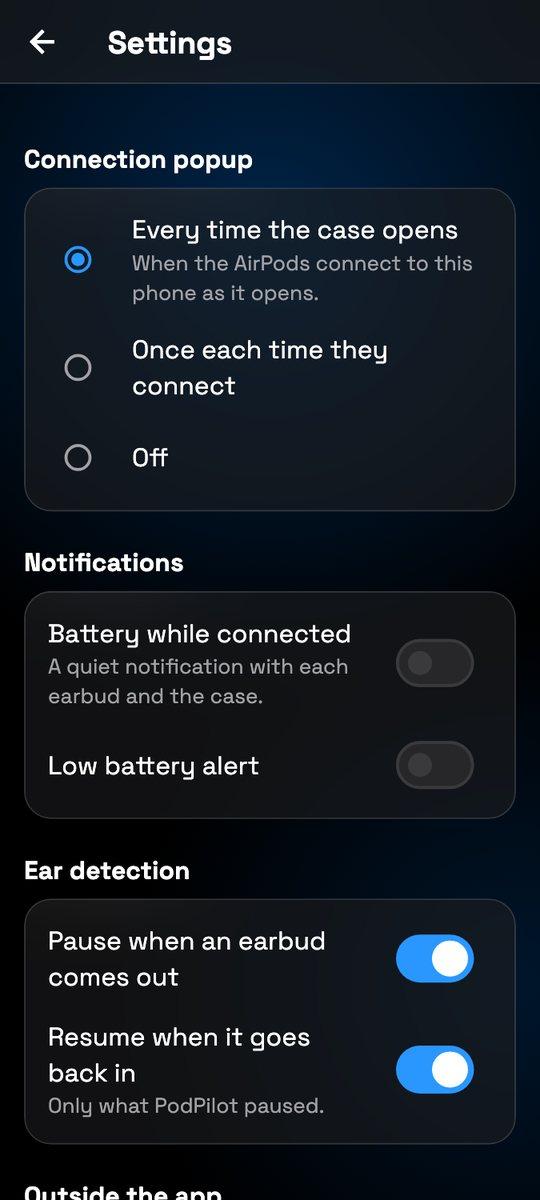
Take an earbud out and your music pauses. Put it back and PodPilot resumes what it paused.
The battery on your home screen, and in Quick Settings a swipe away.
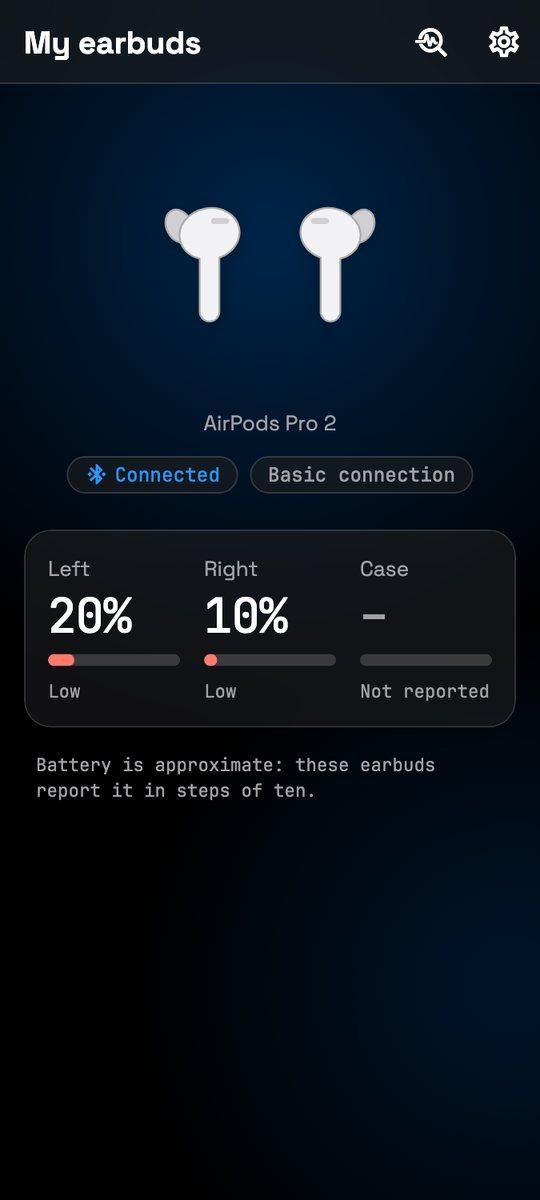
An optional battery notification while they’re connected, and a low-battery alert at the level you pick.
After set-up it lists each feature as supported, partly supported or not available on your phone, and says why.
Inside the app
Each earbud and the case
Know in time when to charge
Popup, alerts and auto-pause
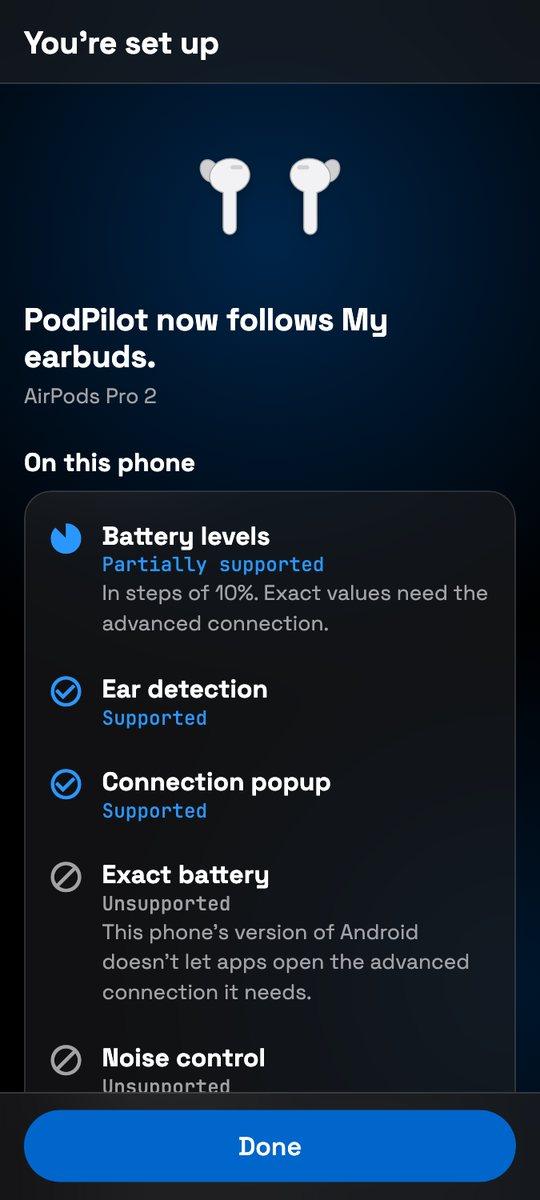
What works on your phone
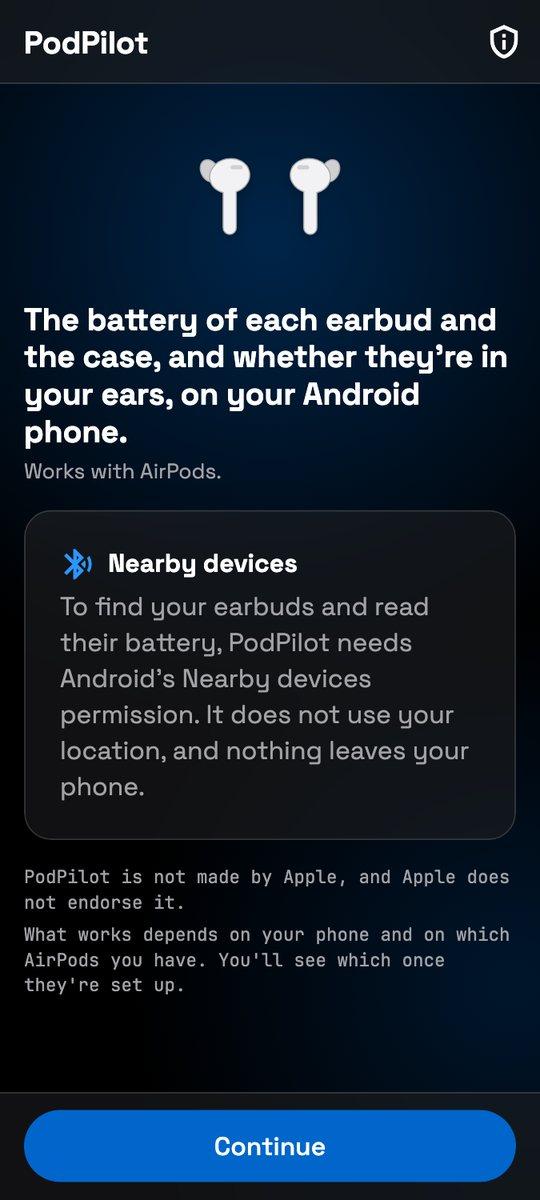
Nothing leaves your phone
Private by design
Nothing to sign up for. No ads and no tracking.
The app doesn’t ask Android for the internet at all, so what it reads can’t leave your phone.
Only the Nearby devices permission, with a Bluetooth scan declared as never used for location.
PodPilot hears other AirPods nearby only to tell yours apart. It never keeps or shows them.
It’s made for AirPods and tested with AirPods Pro 2. After set-up, PodPilot lists which of its features work with your AirPods on your phone, and says why when one doesn’t.
That’s as precisely as AirPods broadcast it. Exact values would need a deeper connection that today’s Android doesn’t let apps open, and PodPilot labels the values as approximate.
The popup comes when your AirPods connect to your phone. If they don’t connect as the case opens, nothing reaches the phone, so there’s nothing to show yet; once they connect, it appears.
No. PodPilot asks only for Android’s Nearby devices permission, and its Bluetooth scan is declared as never used for location.
No. PodPilot has no internet access at all. The only thing that ever leaves is a diagnostics report, and only if you share it yourself; it holds no Bluetooth address or serial number.
No account and no ads. PodPilot is free.
No. PodPilot is made independently by UZG19 and isn’t affiliated with or endorsed by Apple. It needs Android 12 or later.
AirPods, AirPods Pro and AirPods Max are trademarks of Apple Inc. PodPilot is not affiliated with or endorsed by Apple.

Coming soon to Google Play
Free, with no account, no ads and no internet access. Set-up takes a few taps, once your AirPods are paired with your phone.
Android 12 or later · Works with AirPods
PodPilot is built in Flutter by UZG19: a Kotlin engine that reads the earbuds’ Bluetooth broadcasts in the background, a popup, a home-screen widget, a Quick Settings tile and ear detection, all with no internet access. We build apps like it for clients, too.